
Student Aid Eligible
Graphic Media Design
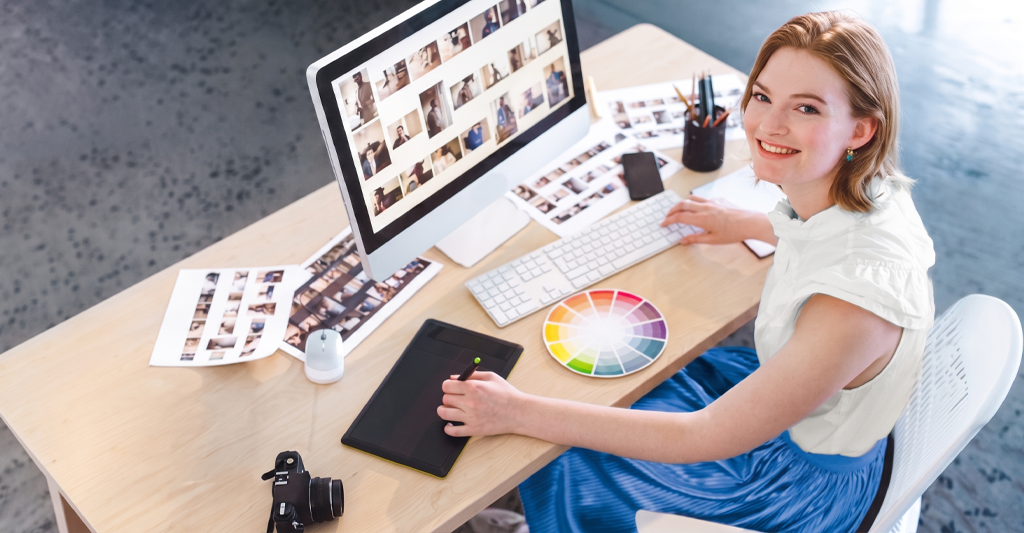
As a Graphic Media Design professional, you'll combine color, typography, and shapes to create engaging visuals. Study colour theory, industry-standard design tools and techniques, web design, and UX/UI in a hands-on studio environment at our Victoria campus. Graduate with a professional design portfolio that showcases your creativity and technical skills to help you stand out.
Credential
Diploma
Duration
72 weeks
Portfolio +
Show
Employment Opportunities
Graphic Designer
Marketing or Advertising Designer
UX/UI Designer
Packaging Designer
Brand Identity Designer
Web Designer
Motion Graphics Designer
Multi-Media Designer
Freelance Designer
Environmental Graphic Designer
What You Could Earn
Up to $62,400
Benefits
Our Graphic Media Design course is eligible for student aid funding; other options available.
Industry-experienced instructors bring firsthand knowledge from actual roles in their fields.
Connect with industry professionals and showcase your design abilities to the public.
Graduate with a professional portfolio that showcases your creativity and graphic design skills.
Go from an idea to creating designs for print, and digital with hands-on experience in typography, UI/UX design and Adobe Creative Suite.
Benefit from lifetime access to our Career Services team for job search help and career advice.
Train in Adobe Creative Suite, Figma, HTML/CSS, JavaScript, and more.
We provide the tools you need to succeed in your program, including a new laptop you keep.
Graphic Media Design Diploma: Overview
Sundance College’s Graphic Media Design diploma program equips you with the technical skills, design knowledge, and hands-on experience to pursue a career in graphic design.
In 72 weeks (over 2 academic years), our diploma program prepares you to create designs for print, digital, and mobile platforms using industry-standard software such as Figma and Adobe Creative Suite. Learn web design, typography, product development, copywriting, UI/UX design, and marketing through practical design projects.
Throughout the program, you will build a professional portfolio with guidance from instructors and connect with industry professionals at our annual graduate portfolio show.
Graduates are prepared to pursue opportunities as graphic designers, UI/UX designers, brand identity designers, and other design professionals.
How Zoe Found Her Career In: GRAPHIC MEDIA DESIGN
Zoe knew she wanted to be a Graphic Designer. Her training gave her the opportunity to explore the many different directions her creative career could take while equipping her with the skills to achieve it.
Is a career as a Graphic Media Designer right for you?
Take the Sundance College Career Training Readiness Quiz. The Career Quiz is a free tool that will help you identify goals, personal strengths and important facts about your potential career path so you can make an informed decision about your future. It takes just a few minutes!
Take Our Career QuizProgram Courses
Courses
Adobe Photoshop 1
Photoshop is the industry standard graphic design tool used to modify, manipulate, and enhance photographic and other images. Get hands-on experience exploring the possibilities offered by this application and learn how to work in print and digital in terms of image quality, resolution, and color space.
Adobe Photoshop 2
Familiarize yourself with the use of vector tools and masks, paths and shapes, advanced layer techniques, colour channels and colour manipulation using Hue & Saturation, Gradient Maps, and Colour Replacement tools. Demonstrations and hands-on exercises will be reinforced with assignments that reflect the demands of the workplace.
Adobe Photoshop 3
Increase your repertoire of creative skills and techniques through advanced special effects and illustrative options. Assignments include coordinating and maintaining consistency over a range of images within a lavishly illustrated interactive document, special effects and perspective display on a variety of shapes and advertising materials, and creative use of Photoshop filters.
Advanced Adobe Photoshop Projects
Advanced Photoshop features will be used to create 6 projects, which will be updated every year to utilize new Photoshop tools released by Adobe, and reflect the latest Photoshop design trends.
Intro to Graphic Design
Get a comprehensive background overview and introduction to the overall graphic design environment. Learn the basic roles of a graphic designer through a series of practical projects. Become familiar with the contemporary graphic design environment and be prepared to handle future intermediate and advanced college concepts and projects.
Design Fundamentals
Through a series of discussions and exercises, explore elements and principles of design such as the Golden Mean. Understand these basic concepts to analyze your own and other designers’ work. Discover why some things work and others do not.
Get introduced to a workflow methodology for creating designs and apply what you have learned to the future creation of corporate identities and design work, including 2 & 3-D design.
History of Art & Graphic Design
Using “A History of Graphic Design” by Philip B. Meggs as a guide, you will start with the invention of printing and follow the development of art & design to the 20th century ‘Modern’ style. You will create presentations and artwork based on historical art movements and share them with the group.
Drawing & Illustration 1
Through a series of discussions, demonstrations, and hands-on assignments, you will be introduced to visual communication techniques appropriate to Illustration and Graphic Design. Your observation skills will be honed so that the perception of shape and space can more readily be abstracted to create logos and graphic elements. You will prepare for subjects such as Storyboarding, and Drawing + Illustration II, in which you will combine hand rendered art with digital techniques.
Drawing & Illustration 2
Build on the skills developed in Drawing & Illustration 1 through discussions, demonstrations, and hands-on assignments. Develop your observation skills and learn to translate shape and space into visual elements for illustration and graphic design, including logos and other graphic elements.
Collaborative Design Workshop
Handle complex problems you’ll face in the workforce by thinking critically and creatively, communicating your ideas effectively, and applying your specialized skills in a collaborative environment. Whether you’re working on a large-scale building development, making a movie, contributing to an online magazine, developing an app, or taking a new fashion line to market, the success of the project will rely on your ability to work with others. Learn to collaboratively use the methods of design thinking to respond to a brief presented by a real community client.
Typography 1
Learn the basic grounding of typography within design, and what makes a good typographic solution to a design problem. Projects will focus on the imaginative and effective use of typography to create a sensitivity to typographic forms and their role in visual communication design. Learn typographic history, anatomy, measurement, and how to choose typography for a specific design, and render it by hand.
Typography 2
Examine what makes a good typographic solution to a design problem through discussion and practical projects. Expanding skills gained in Typography 1, focus on design elements and the imaginative and effective use of typography.
Typography 3
Explore Typography and its use in Modern Graphic Design. Learn how to utilize it effectively for the varying aspects of a modern label design. The project will introduce you to the technical basics of making an individual font using vector and type-foundry software.
Colour Theory
Colour is a subject that appears almost everywhere, in all disciplines. Understanding colour and its concepts serves as a central orientation point for all things design related. Explore different aspects of colour, including Theory, Mixing, Systems, Psychology, Vision, Symbolism, and Harmonies. Learn comprehensive history, the mechanics/science of colours, the brain, and design.
Adobe Illustrator 1
Adobe Illustrator is the primary illustration tool used in professional Graphic Design. Through a series of discussions and practical exercises, you will explore the principles of vector-based graphics, and the concepts behind the industry standard PostScript/PDF languages.
Adobe Illustrator 2
Continue to explore the many capabilities Adobe Illustrator offers for creating almost any imaginable artwork. Get hands-on practice with its technical tools and expand your understanding of vector-based graphics through work on conceptual projects.
Adobe Illustrator 3
Reinforce technical knowledge and polish creative skills with projects that use Adobe Illustrator as the primary design tool.
Adobe InDesign 1
Adobe InDesign is the primary page layout and desktop publishing software used in Graphic Design. Through a series of discussions and practical exercises, you will be introduced to the principles of page layout and graphic communication. You will learn the skills required to use InDesign and apply these principles to desktop publication. Special emphasis will be given to use of typography, inserted images, colour systems, and preparation of documents for printing.
Adobe InDesign 2
Learn to work with more advanced features of InDesign, such as using Tables and Tabs to create financial documents. Knowledge of multi-page document features will be expanded, as will the use of more advanced typesetting practices. Assignments will reflect and reinforce the necessity for a more sophisticated and professional design output.
Adobe InDesign 3
Develop your multi-page layout skills to a professional standard using advanced aspects of InDesign. Explore tight typography for newspapers and more creative layouts for interactive documents and grid systems for calendars. Complete a challenge for a non-profit organization that requires client interaction and creativity.
Digital Photography 1
Learn basic photography, camera features, and concepts like exposure, composition, and perspective. Focus on becoming comfortable operating a camera and understanding how photography can enhance other aspects of your graphic design work.
Digital Photography 2
Learn intermediate photographic techniques used in graphic design projects. These projects will require you to manually shoot raw photos, and edit using ACR, Bridge, and Photoshop together to achieve completion. Basic workflow techniques will also be addressed.
Web Programming 1
You will be introduced to the world of web design and a brief history of the web. Examine the client-server model, basic computer architecture and file systems structure. Analyze constraints and limitations of the client-server model that defines much of the browsable web. You will learn how to use Adobe XD to create website mockups, and how to turn a mock-up into a functional website using HTML5 and CSS3. By the end, you should be able to demonstrate a good command of HTML5 & CSS3.
Web Programming 2
Learn advanced Web Programming by building CSS animations and adding JavaScript to control user interaction via buttons and callback. Utilize advanced Adobe XD features to facilitate animated transitions and animations within mockups pages. Transition from basic JavaScript to jQuery to illustrate how a JavaScript framework can accelerate development time.
Studio Projects
Learn creative solutions to resolve a series of design problems designed to expose you to varied forms and uses of Graphic Design. You will use two major design programs, Adobe Photoshop and InDesign, in combination to gain further understanding of how these programs complement and work together. The experience is designed to reflect the studio environment. You will submit roughs for all projects for discussion and approval and then apply computer techniques to create finished artwork. Emphasis will be given to the rough and approval processes at both the studio level and the client level.
Copywriting
Get a practical introduction to the art of copywriting. Discussion and presentations will include the development of copywriting in the twentieth and twenty-first centuries and the psychology and ideation process that accompanied it. Study case histories and analyze current day ads and ad campaigns. You will Brainstorm, write strategic statements, and present your own ads for critique. Topics addressed will include integrated marketing, finding efficient ad venues, identifying the target consumer, writing effective copy, and a basic intro to keywords and concepts for advertising on the web.
Marketing 1
Learn the foundations of marketing as it relates to graphic designers. Get an introductory overview of the role that graphic design plays in marketing. Learn how marketing principles and graphic design work together in successful and effective communications solutions. Analyze what triggers and motivates an audience to respond to graphic work and how to design appropriately to gain successful and effective results.
Marketing 2
Continue to explore and expand upon the subject of marketing as it relates to graphic designers. Through practical projects, develop the necessary skills for designers to successfully solve marketing challenges. Learn how graphic design is used to communicate product benefits and inform consumer perceptions to create successful and effective communication solutions. Investigate what triggers and motivates an audience to respond to graphic work and how to design appropriately to obtain successful and effective results.
Storyboarding & Infographics
Storyboards and Infographics are visual representations intended to present information, data, or knowledge quickly and clearly, in a concise and understandable way. Uses of storyboards and infographics can provide compelling solutions to: confusing instructions, too many details, a complex process, wordy content, or excessive or uninteresting data.
Understand data and present it as a story, pulling out the most interesting aspects and designing images to convey them. Storytelling can be used to create ads, motion pictures, games, and sets of step-by-step instructions. Stories presented as infographics can be used both to convey information and to influence perception of that information, thus making infographics effective in editorial writing.
User Interface Design
User Interface (UI) and User Experience (UX) Design are the process of creating visual and structural interfaces on computerized devices. Designers strive to create interfaces which users will find are understandable, easy to use, and visually attractive. Study UI to UI design concepts, fundamentals, and differences and similarities between dynamic designs for screens and static designs for print.
Account for different sizes and orientations of screens, visual hierarchy, colours and typography, intuitive navigation, information clarity, prototyping, and user feedback.
E-books / Digital Publishing 1
An E-Book (Electronic Book) is a publishing asset that delivers information in an electronic, long form publication. E-Books use either a mobile device, desktop computer, or specialized reader to display their content. Delve into product and marketing uses and advantages of digitally published items, as well as design differences between digital and traditional publications.
Explore general uses of digital publications to share information, or self-publishing. Design digital book templates, covers, content, promotional materials, and other collateral used in the industry. Adobe InDesign’s digital publishing features will be studied and used, as well as Adobe Acrobat’s electronic forms of publishing and editing capabilities.
Advanced Publishing
Use previously gained graphic design skills to produce and publish digital materials designed to enhance and maximize a company’s design presence. Emphasis will be given to the fundamental disciplines involved in typography and page design.
CMS for Web
Learn the uses and features of content management systems, the structure and components of CMS, and how they are effective for websites and online use. The focus will be on hands-on use of WordPress, the most popular CMS for web.
Media Projects
Create visual communications materials for a specific brand from print to electronic/online and more. Step into the paired roles of both client and designer, creating a fictitious start-up snowboarding company for yourself as client while designing for an assigned partner.
Online Media Projects
Create an online presence with an emphasis on personal branding and design consistency across print and online. Develop a repeatable and consistent design look beginning with a brand guide and extending with a portfolio website.
Motion Design
Learn the principles of Motion Design, focusing on integrating graphic design elements with 3D design and time-based media. Explore key concepts such as modeling, texturing, lighting keyframing, and visual storytelling while learning to use industry-standard software like Cinema 4D and Octane Render. Emphasis will be placed on creating animations and still media to enhance brand narratives, user interfaces, and marketing collateral.
Social Media Marketing
Social media has become a crucial outlet for businesses to build brand awareness and establish a relationship and basis of trust with the consumer. Through the use of organic social media and strategic content creation and implementation, a brand can position itself as a leader in its industry and attract an audience that will be truly invested in the business, helping to foster trust and awareness within its community.
You will gain the foundations for understanding how social media works, how it fits into a company’s traditional marketing strategy, and how to successfully build a brand using organic growth strategies. You will also learn how to create and test content as well as utilize each social media platform in best practice.
Product Development
Learn how to define an event’s potential audience(s), and personality to maximize exposure and impact. Create a visual identity for promotional and advertising elements. Set up a realistic budget to account for local advertising and broader media approaches.
Research, ideate, and develop strategies in conceptual thinking and copywriting, to develop a uniquely integrated marketing approach specifically suited for this event. Emphasis will be placed on researching aspects of the potential target market(s), similar staged events in other locations, creating a memorable visual brand for the event and identifying realistic and suitable advertising and marketing strategies.
Business of Graphic Design
Develop self-confidence in your marketability and your professional skills related to employment strategies and/or effectiveness in the workplace specific to freelance Graphic Design. A mock job interview with multiple instructors provides an opportunity to practice your interview skills. Multiple field trips to relevant job environments provide opportunities to ask job specific questions of potential employers. Practical tips for dealing with clients/employers and all aspects of the job are also shared.
Advanced Creative Digital Techniques
Use advanced Creative Techniques to create 6 projects that explore new tools released by Adobe and reflect the latest graphic design trends.
Adobe After Effects
Learn to create stunning 2D animations and motion graphics using Adobe After Effects. Hands-on learning covers essential tools and techniques including keyframing, effects, and masks, to bring your ideas to life. Perfect for beginners or those refining their skills, you will learn to craft animations for social media, ads, films, and more.
Portfolio & Personal Promotion
Develop a personal identity and branding system to effectively promote yourself as a professional designer. The focus will be on selecting, refining, and polishing portfolio pieces, ensuring you are well-prepared to present yourself confidently in a professional manner either as a freelance designer or for employment in a design studio upon graduation.
Portfolio
Present your design projects to both industry professionals and the public. Establish yourself as a skilled creative professional while making valuable professional connections.
Connect with an Advisor
Connect with an Admission Advisor and get all the questions answered.
Find Out What Our Students
Say About Us
Admissions Open Now
Next Start Dates
View our upcoming start dates for this program. Secure your spot now to begin your educational journey to career success.
Frequently Asked Questions (FAQs)
What can I do with a graphic design diploma?
With a graphic design diploma, you can work in a range of industries, including:
- Marketing and advertising
- Digital media
- Publishing
- Entertainment
- Corporate communication
- Retail and consumer goods
- eCommerce
You can select the industry that fits your goals and move into specialized roles such as UI/UX design, motion graphics, or product design.
How much do graphic designers make in BC?
On average, graphic designers earn up to $62,400 annually. This varies depending on your role, experience, industry, and location.
Do I need to be able to draw or have experience?
No, you don’t need experience to apply to Sundance College’s Graphic Media Design program. You just need a high school diploma or Mature student status and English proficiency.
What software will I learn?
Sundance’s Graphic Media Design program includes industry-standard software such as:
- Adobe Photoshop
- Adobe Illustrator
- Adobe XD
- Adobe InDesign
- Adobe After Effects
- WordPress
- Cinema 4D
- Octane Render
- Figma
Along with these, you’ll also learn HTML5, CSS3, and JavaScript for web design.
Is a diploma enough to get a job, or do I need a degree?
86% of Sundance’s 2-year Graphic Media Design diploma program graduates find work in their fields within six months. The program prepares you to be job-ready, with extensive design experience and a portfolio of completed work.
How long is it and is it in Victoria?
Sundance College’s Graphic Media Design Diploma program is taught in-person in Victoria and takes two years to complete.
Will I build a portfolio?
Yes. You will build a diverse, professional, and job-ready portfolio. You will also have an opportunity to connect with industry professionals and potential clients through our annual graduate portfolio show.
What are the admission requirements?
To enroll in our Graphic Media Design diploma program, you need:
- A high school diploma or equivalent or Mature student status
- English proficiency